From local to workspace templates
Sketch · Product Design · 2021
Problem
Sketch document templates are local. Therefore, they can't be shared easily within a team. Current local templates are also perceived as outdated tutorials and they're getting too much exposure as a fixed section at the top of the Workspace Window from the Mac app.
Goal
Offer users an easy way to create their own Workspace templates that can be easily used across the whole organization. Users who can now set Sketch documents to be used as Libraries can set them to be used as Templates.
Defining document types
We currently have two types of documents: Regular/Blank canvas or Library documents. With Workspace Templates, we added a third type to the list. Together with our UX Writer Jürgen Zimmermann, we started working on how we could define the three different document types, and how they could fit into the existing modal.
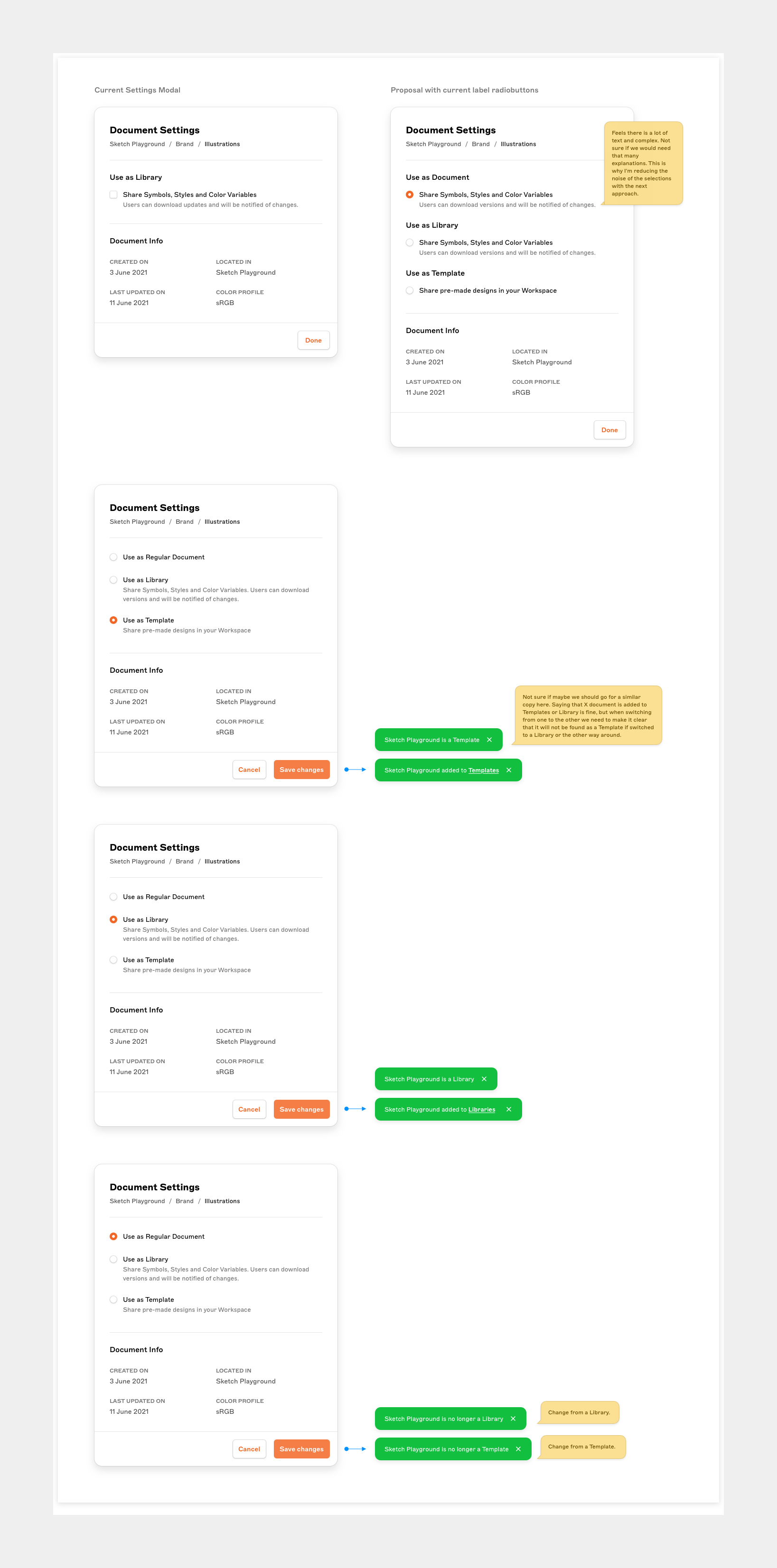
We weren't happy with the previous explorations for many reasons. Mainly we were looking for the right balance between the amount of context and the action to perform. We wanted to avoid having users spend too much time reading, but at the same time the difference between document types should be clear.
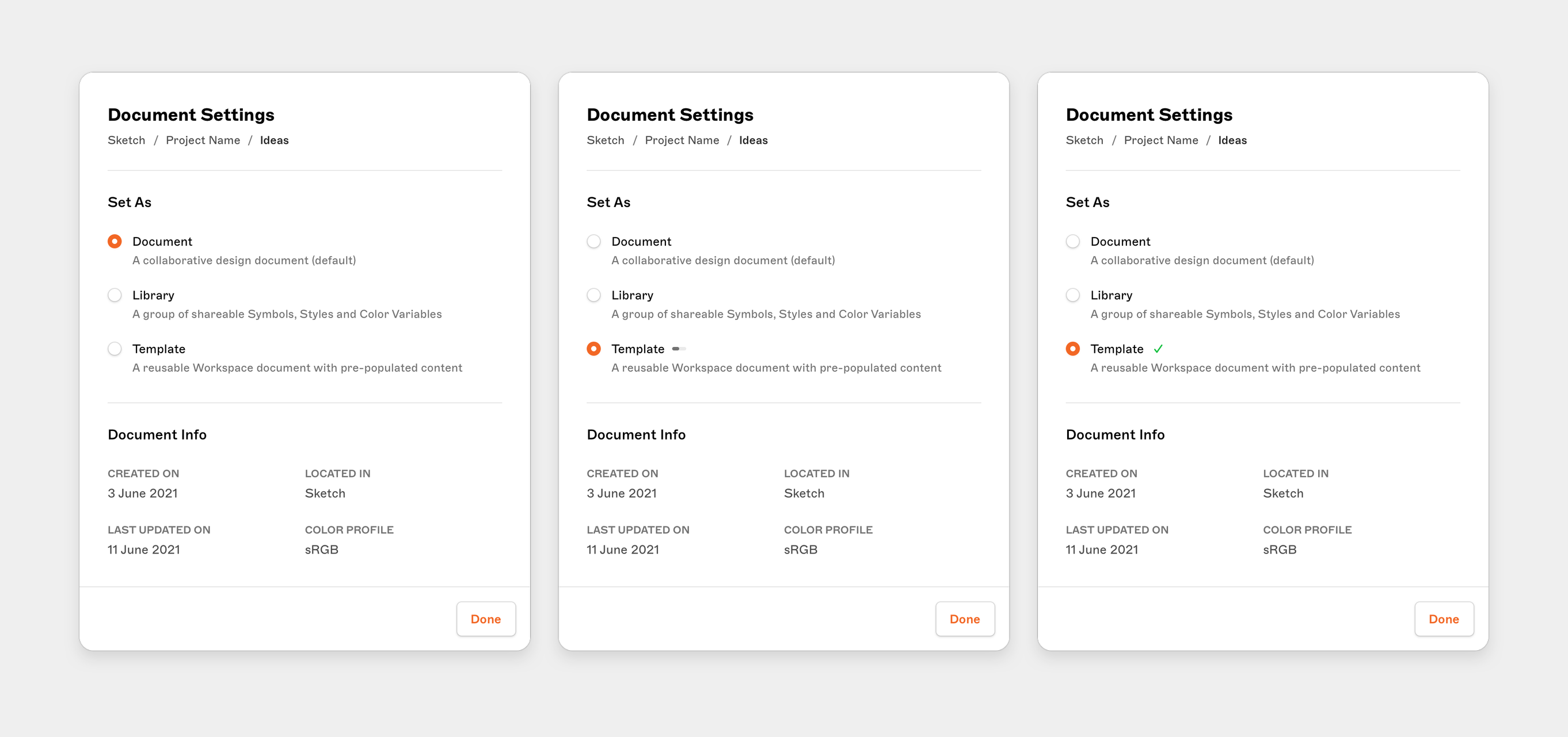
We finally settled on the definitions and decided to use the selection title "Set as" because we wanted to reinforce the action of setting up how the document should be used.
Sharing regular updates
Since I was working in a "Slack-based" company and in an asynchronous environment, I regularly recorded myself to share regular progress and thoughts with the team.
New templates area
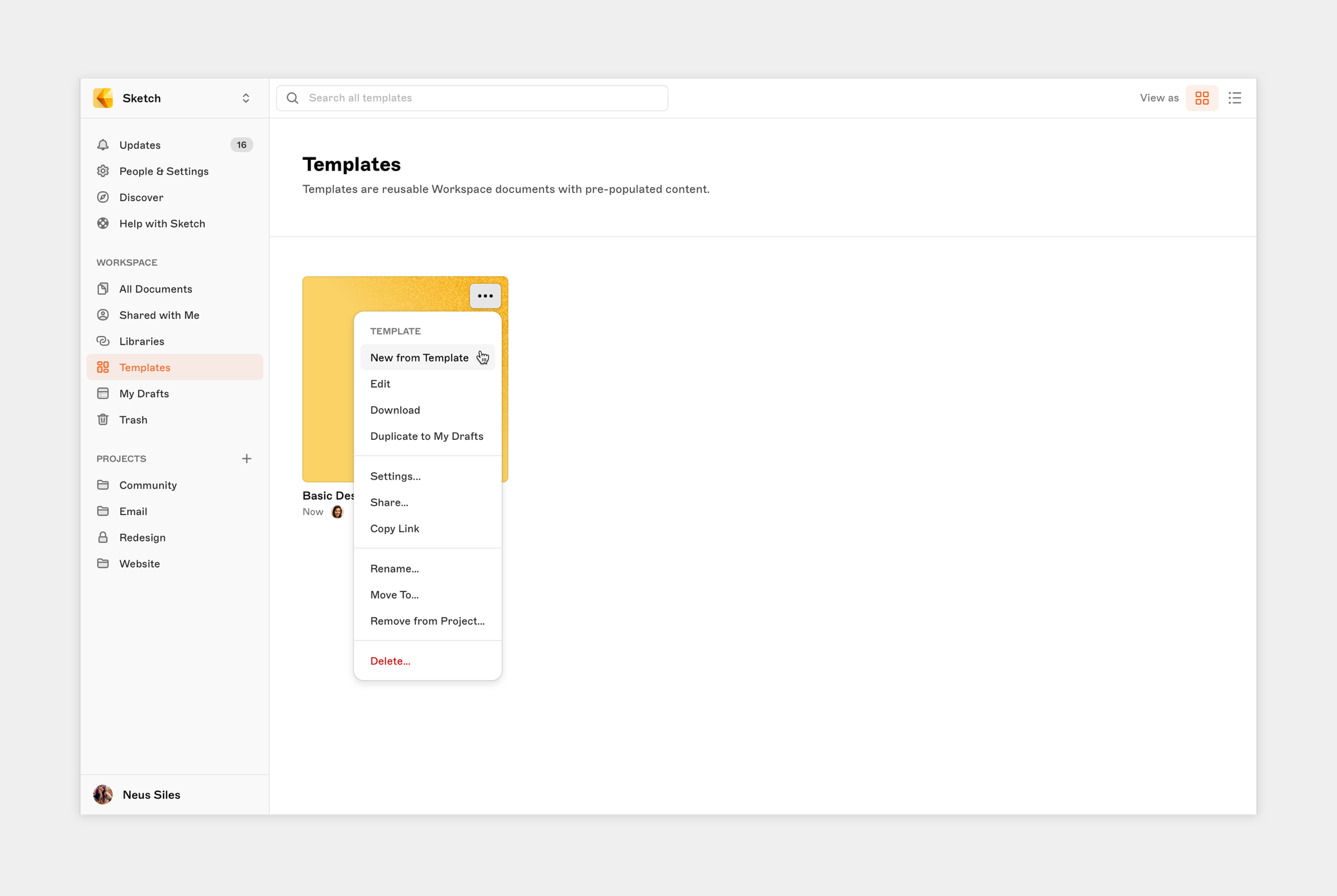
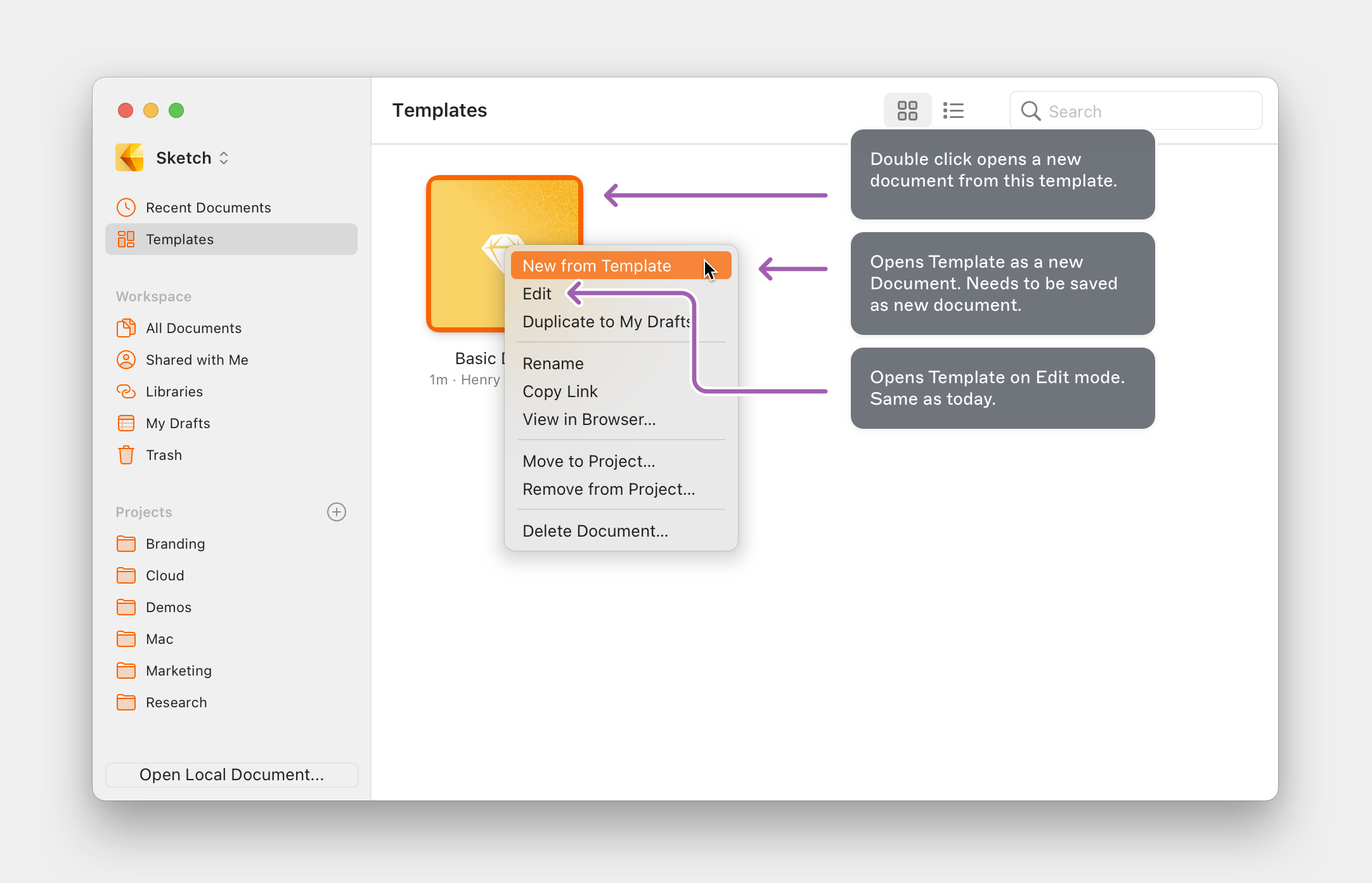
To gain a better view of all Workspace Templates we created a new dedicated area for them. Users can access their templates area from the Web and the Mac app.
Small improvements
To wrap up the Workspace Templates feature, we improved a few more small details:
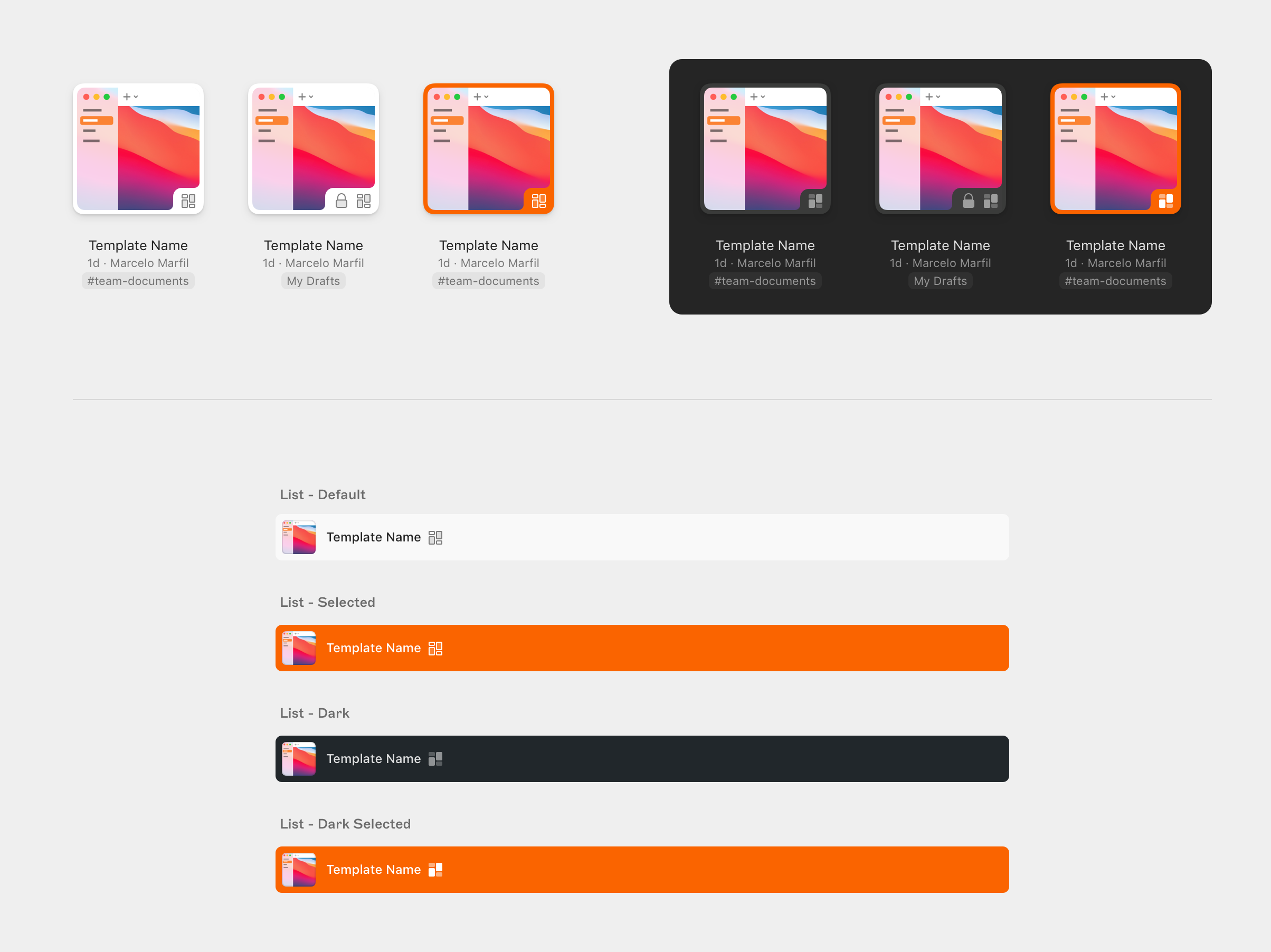
- New template icon in the grid and list documents view
- Replace the old local template entry points in the Mac app
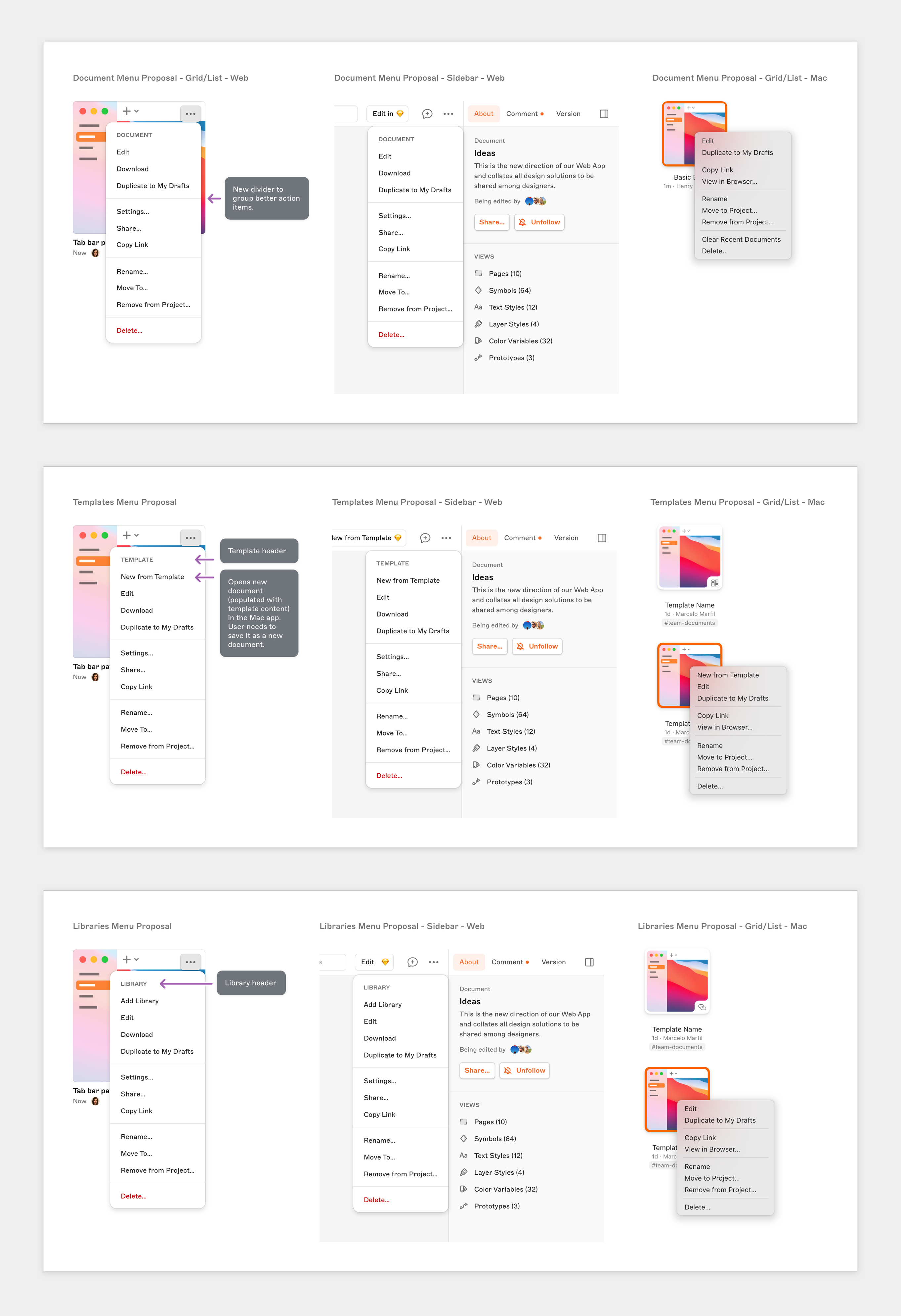
- Create a new, more consistent list for contextual menus from the three types of documents: Default, Library, and Template
Mac menu updates
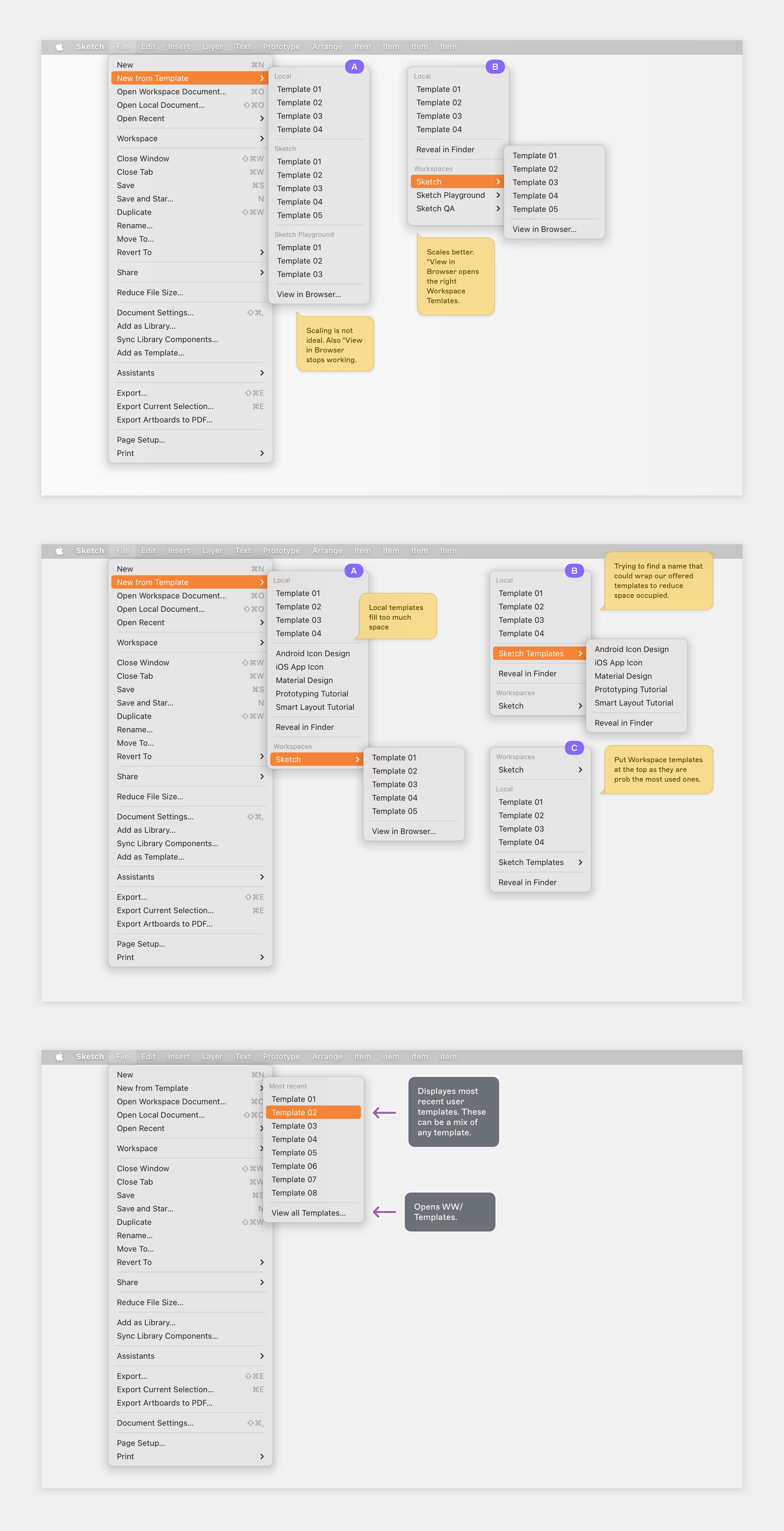
In the Mac menu we always had an entry point for opening local templates. Users are familiar with it, so we just wanted to update it to support the new Workspace Templates. These decisions weren't easy because this single entry point should support different sources: different Workspaces, as well as local templates (during the transition phase).
We created many explorations to see how we could stress those menus in order to maintain a good experience. In the past we also had problems with some other Mac menus because they don't scale particularly well. We therefore decided to offer users a more compact list of most recently used templates, as well as a call to action to view all of them.