Restricted uploads on Workspaces
Sketch · Product Design · 2022
Problem
Large enterprise customers and banks required an extra layer of security and did not want to allow storage of documents on servers they don't own. They still wanted the benefits of subscriptions though.
If we could offer this feature for Enterprise customers, we could win them over while addressing their strict security requirements.
Goal
Give Enterprise Admins the power to disable the ability to upload documents to their Workspace. Team members would work in local-mode only, while Admins retained full control over the restriction settings.
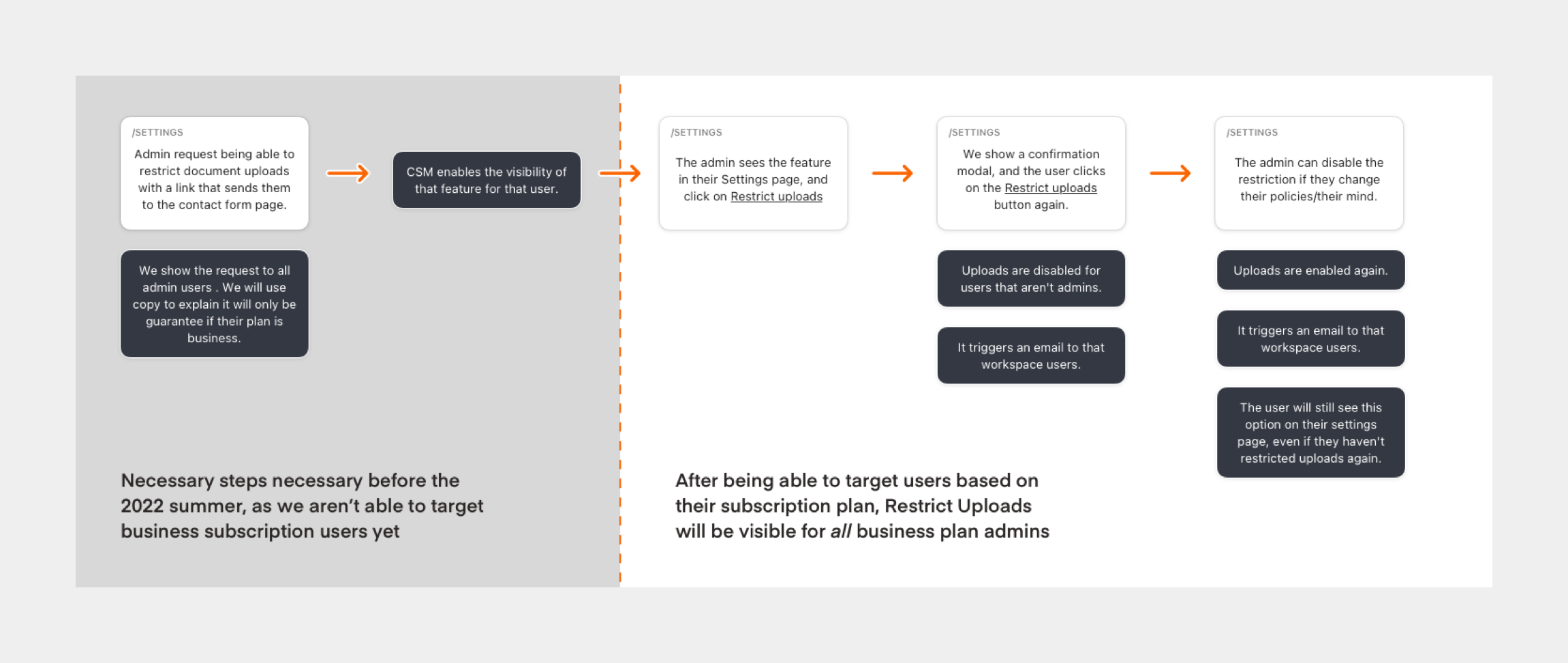
Phased approach
We broke this project into phases to ship incrementally and validate with customers:
- Phase 1: Restrict uploads for everyone on the team, including Admins.
- Phase 2: Allow Admins to upload documents and libraries while keeping restrictions for other team members.
Reorganizing People & Settings areas
Adding new functionality meant we needed to reorganize the content structure. We couldn't just pile all features in the same area.
- People tab: Member management, adding seats, and invitations.
- Settings tab: Workspace features including name, download all documents, restrict uploads, and delete workspace.
- Billing tab: Payment information (unchanged).
The sidebar entry point also adapted based on each role. Owners, Admins, Finance, Editors, and Viewers each saw only what was relevant to them.
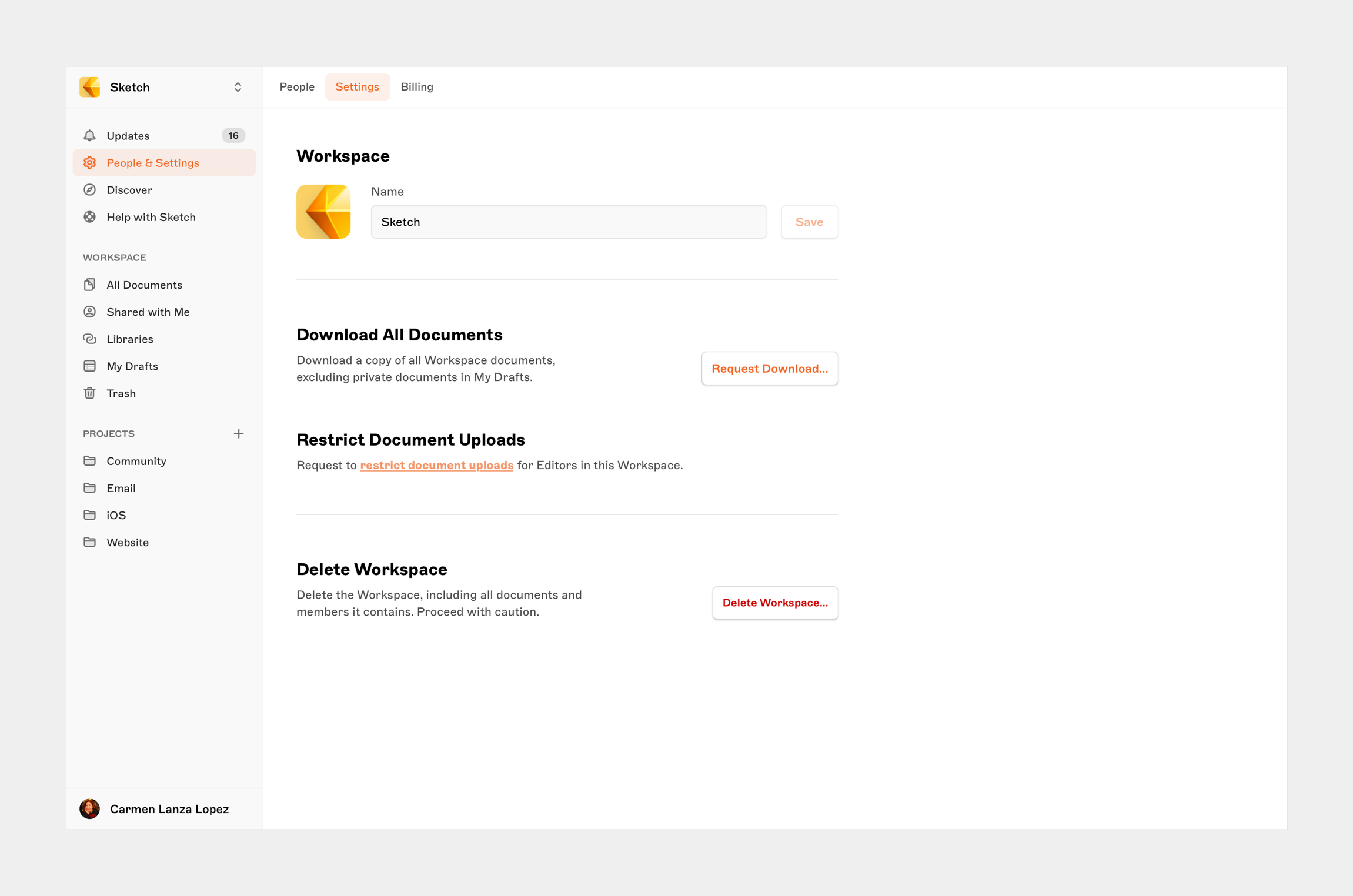
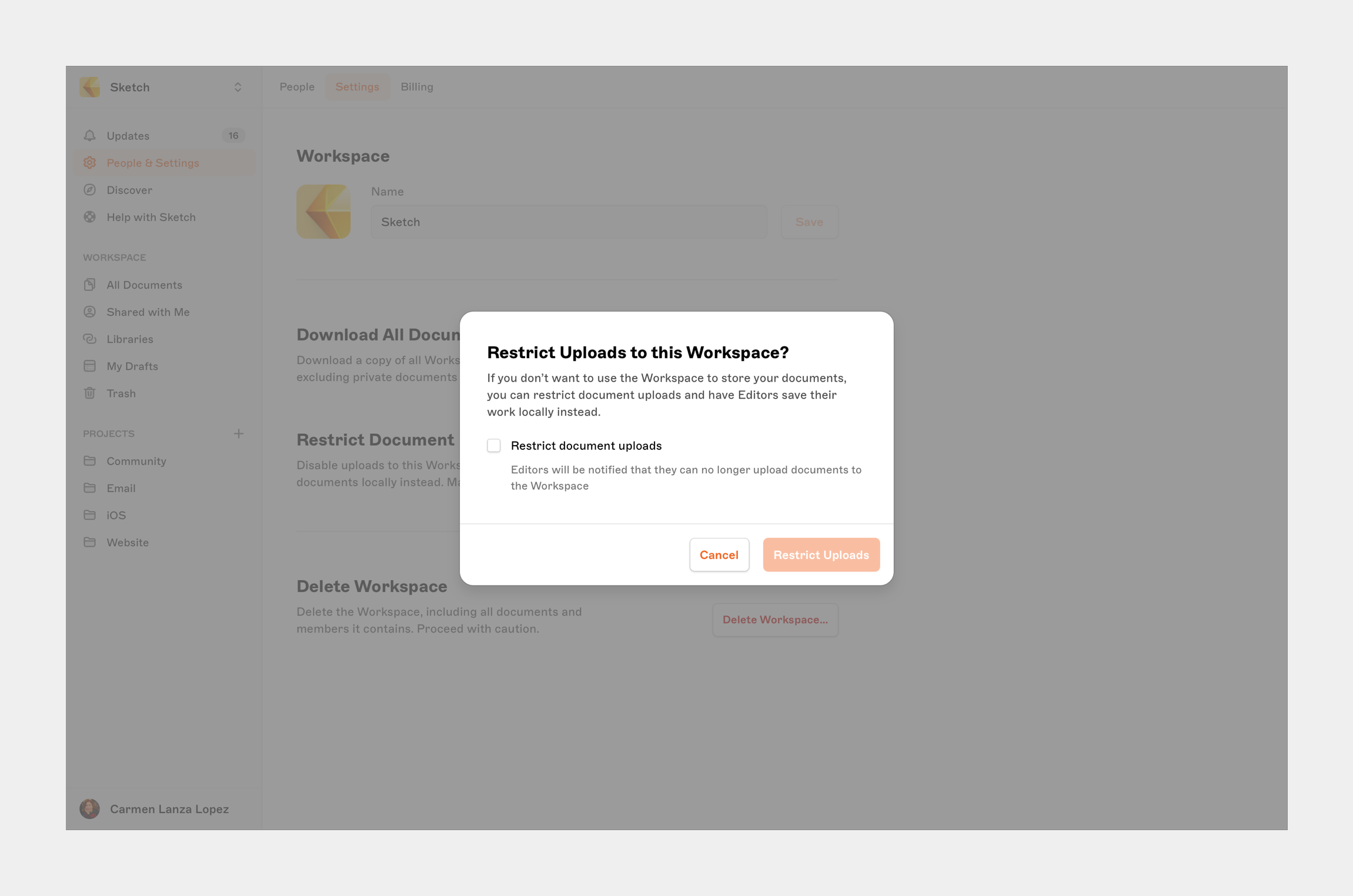
Web app changes
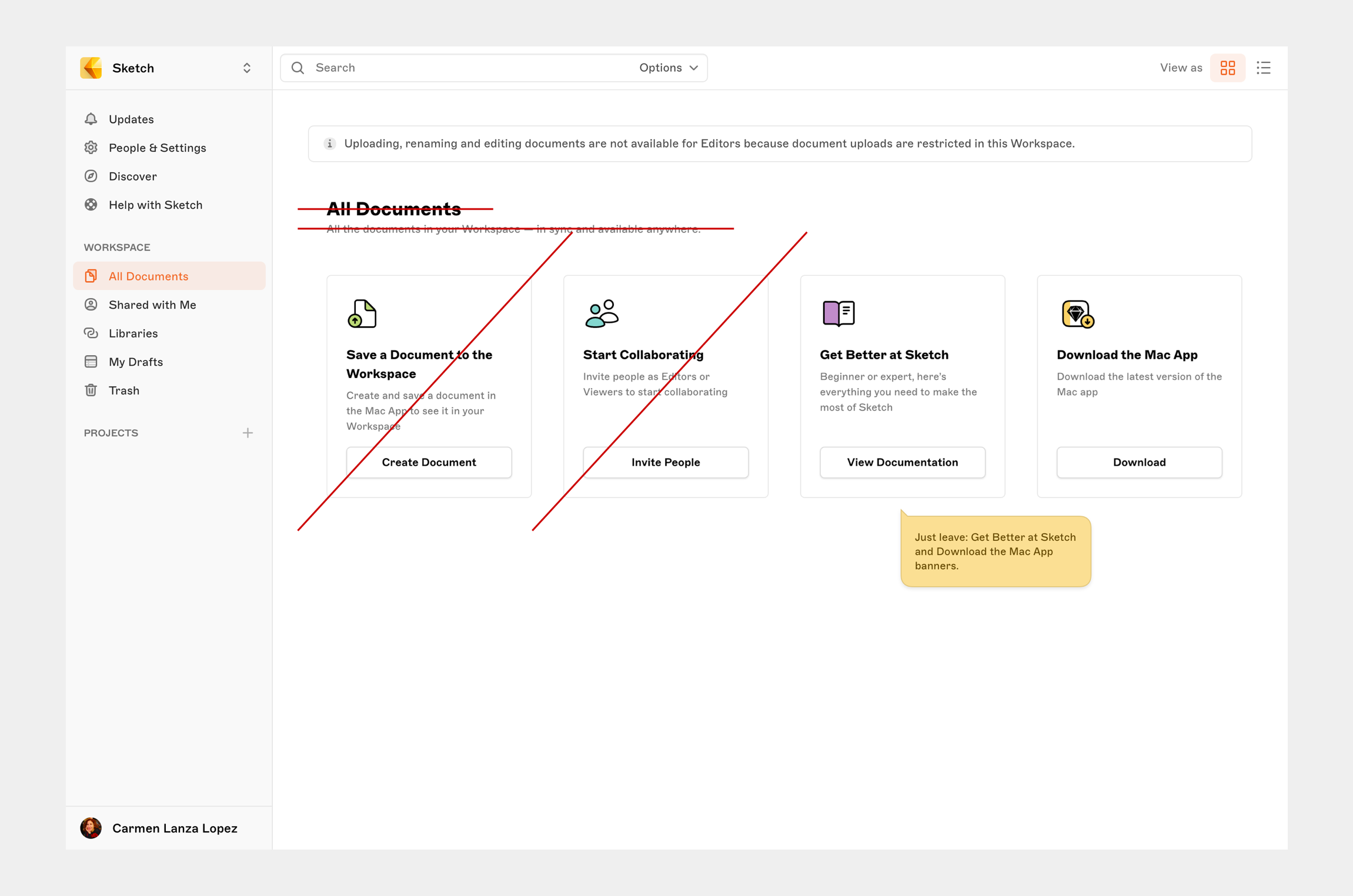
We designed for two scenarios: users with no documents in the Workspace (showing an empty state explaining the restriction) and users with existing documents (showing an informative banner while preserving most functionality).
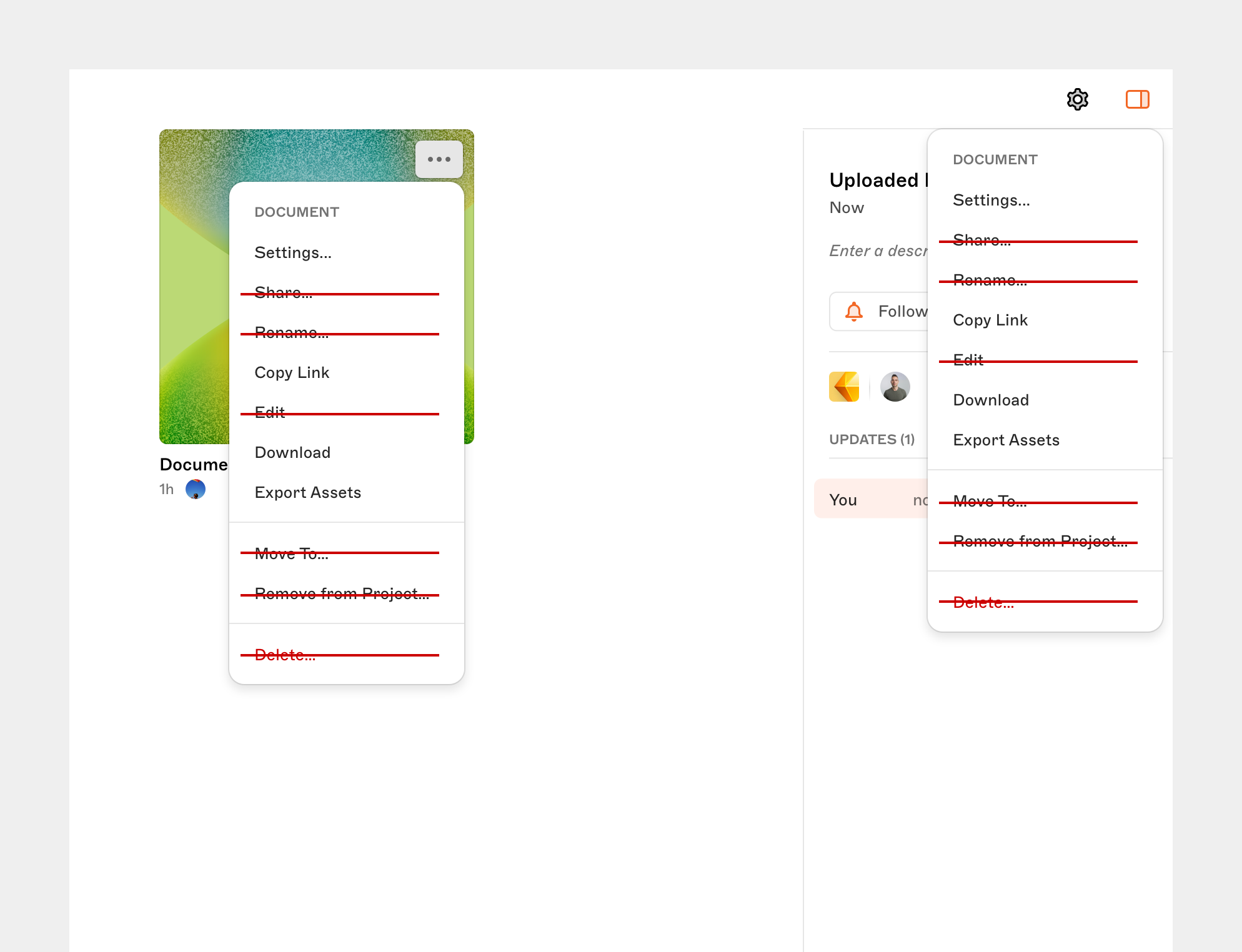
The informative banner appeared across all document areas: Updates, All Documents, Shared with Me, Libraries, My Drafts, and Trash. We also removed actions that no longer made sense, like Edit and Rename.
Mac app changes
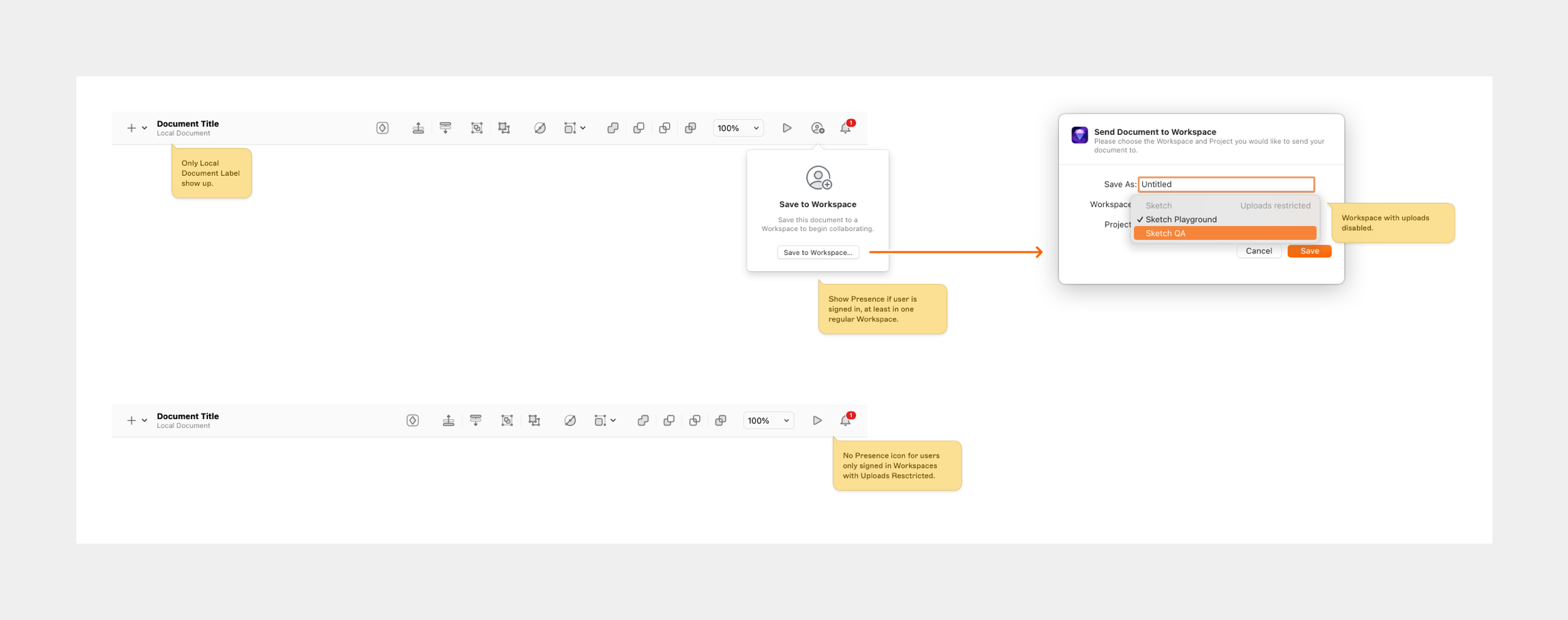
- Cloud documents in Recents opened in the browser instead of the app.
- Removed presence icon for users signed into restricted Workspaces only.
- Added a label in Account Preferences indicating upload restrictions.
- Updated the Workspace Window to show signed-in status while removing the Getting Started entry point.
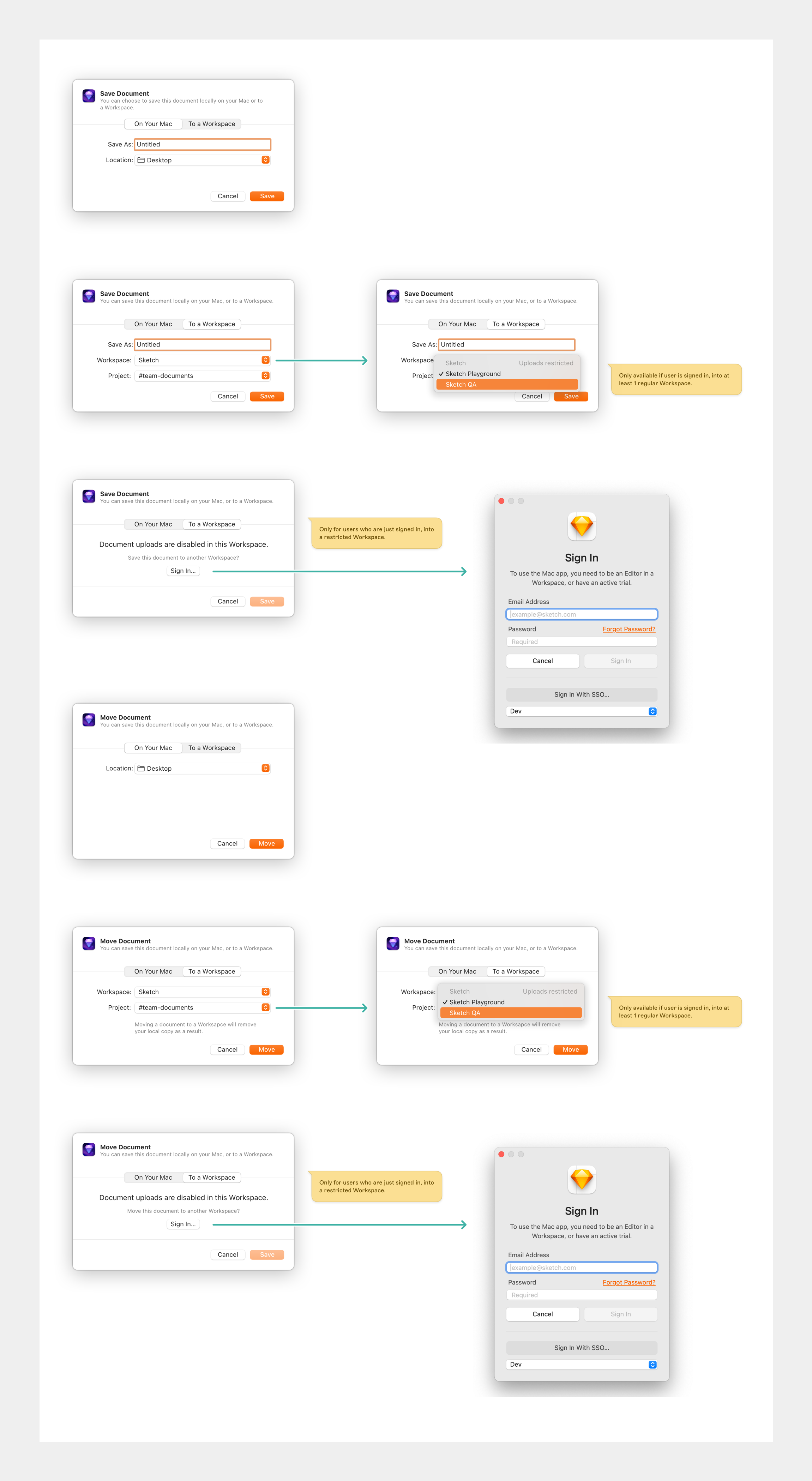
- Modified save and move dialogs to inform users when selecting a restricted Workspace.
Permissions design
Defining granular permissions for each role was critical. Editors and Viewers could still view, download, inspect, and comment on documents. However, they could not upload, delete, rename, share, or move documents.
Admins retained full control. They could enable and disable upload restrictions for the whole team, and in Phase 2, they could upload documents and libraries themselves.